
Networking
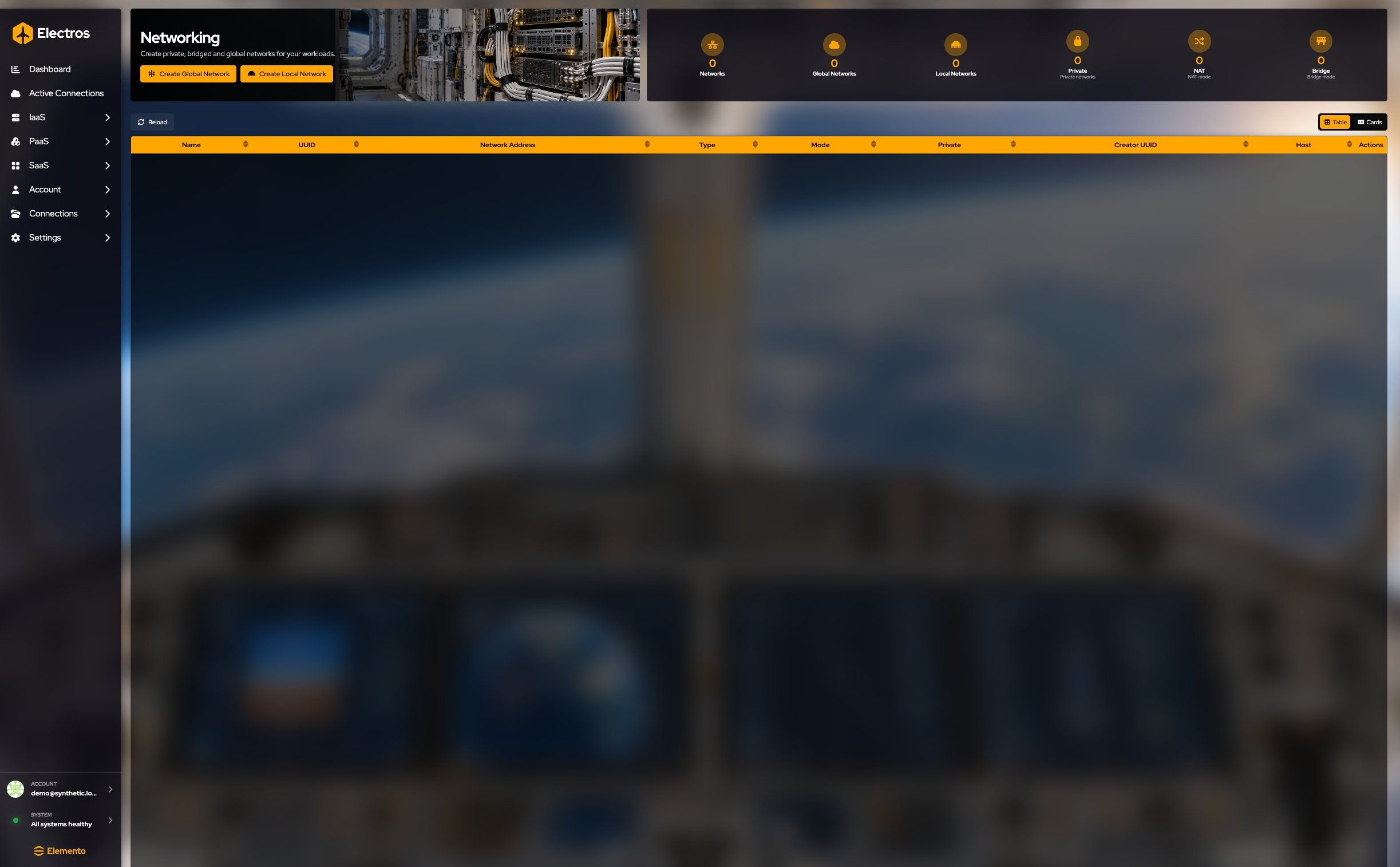
Networking lists every network Electros knows about: local libvirt networks and global Tailscale networks.
What this page is for
A VM with no network can boot and still have nowhere to go. This page is the list of networks you can attach: private libvirt networks that live on one host or a few hosts, and Tailscale networks that can span sites. You create the network here, then attach it from the virtual machine.

Read the page
The gauges count Networks, Global Networks, Local Networks, Private, NAT, and Bridge.
The table columns are Name, UUID, Network Address, Type, Mode, Private, Creator UUID, Host, and Actions. Reload refreshes the list. Table and Cards at the right switch the layout.
Create a network
| Button | What you get |
|---|---|
| Create Global Network | A Tailscale network that can span hosts |
| Create Local Network | A libvirt network on the hosts you pick |
NAT is the usual local type: guests get private addresses and outbound access. Isolated keeps them off the outside network. Read the warnings in the wizard before you choose Open. Both use the form, then host pattern.
Local network (libvirt)
Where: Networking → Create Local Network
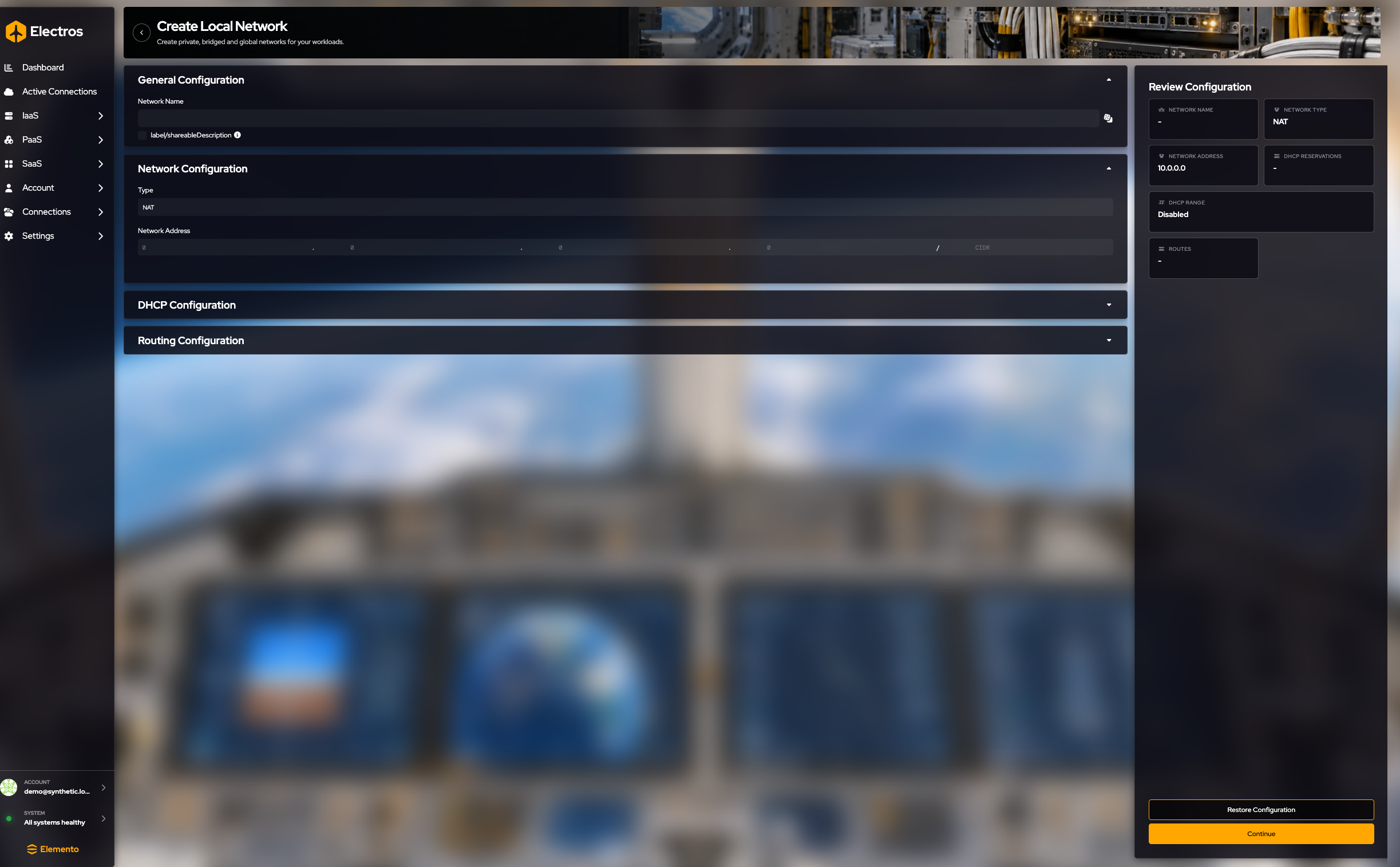
The form is four sections. Open each one; you do not have to change every field.
General
- Network name — required. Use the dice or type one.
- Shareable — off by default, which means the network is private to you. Turn it on if other users on the host should use it.
Network
- Type starts at NAT, which is the right choice for a VM that needs outbound internet and a private address. Other types:
- Isolated — VMs talk to each other, not to the outside.
- Routed — you will add routes yourself.
- Open — least restricted. Read the warning before you use it.
- Bridge is shown but disabled.
- Network address — CIDR, for example a private range. Electros warns you if the range is not private or the CIDR looks wrong.
DHCP
Off by default. Turn Enable DHCP on if guests should receive addresses automatically. Then set the start and end of the pool. Reservations are optional rows (IP, MAC, name) for guests that must always get the same address.
Routing
Optional. Add a route with a destination CIDR and a gateway when the type is routed or you need extra paths.
The review lists the name, type (NAT unless you changed it), address, DHCP range, and how many reservations and routes you added.
Press Continue.
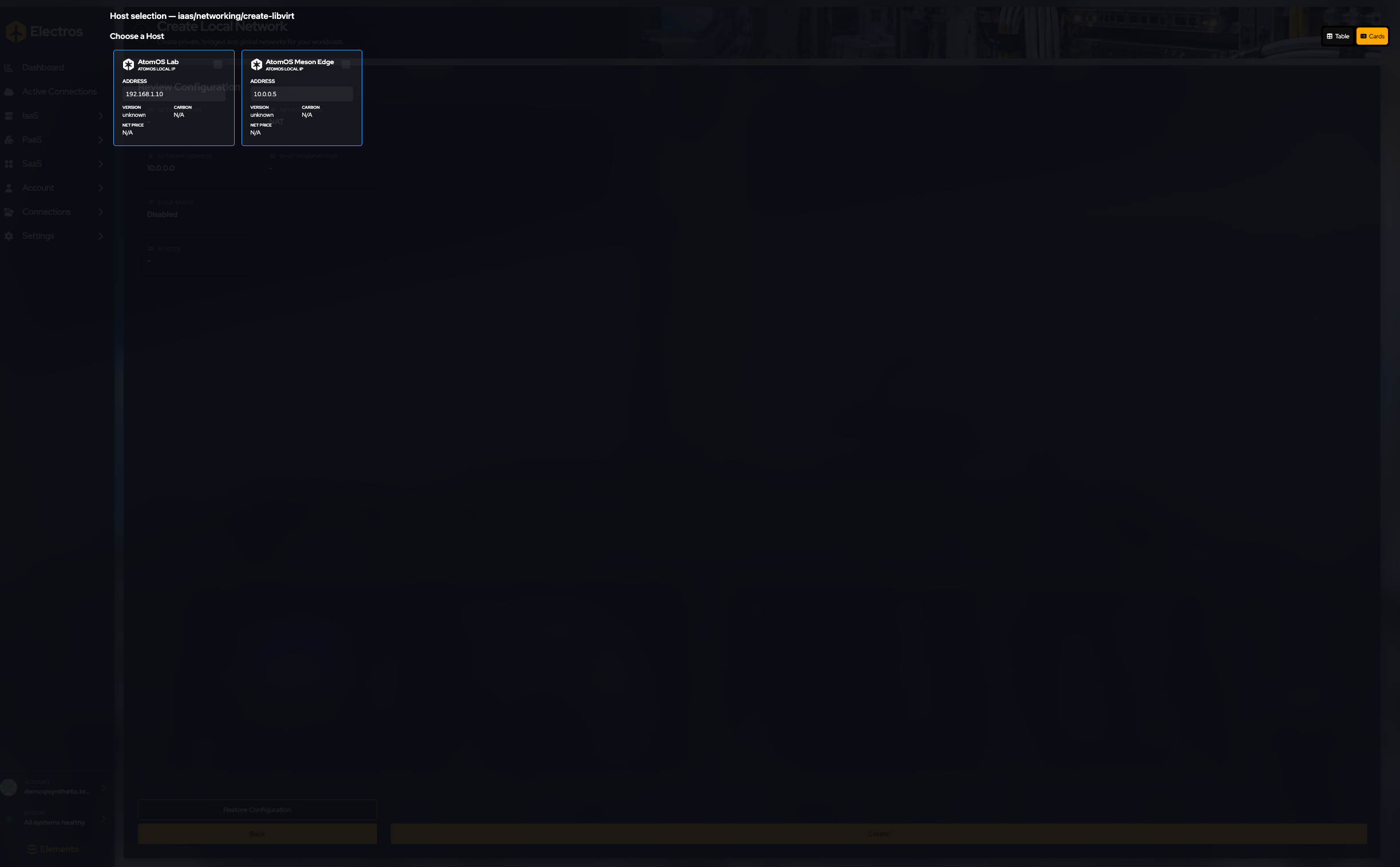
Select the host that should own the network. If Electros warns that the host’s own IP sits inside your new range, change the range or pick another host — otherwise the host can lose its address. A cloud host may also say Update Required. Stop before Create.
Global network (Tailscale)
Where: Networking → Create Global Network
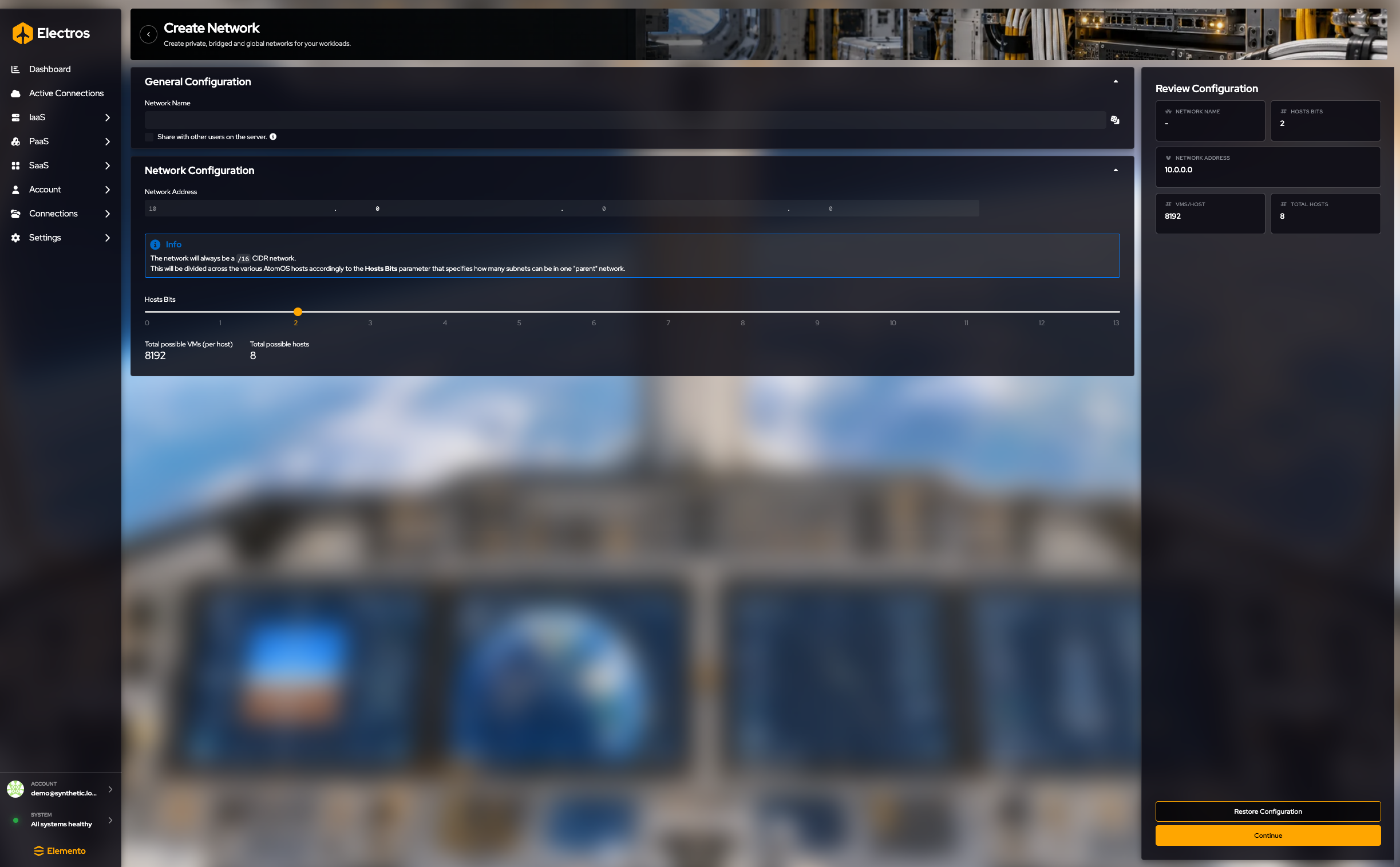
- Name the network. Required.
- Share with other users starts off.
- Network address is a Tailscale-style address and is always a /16. If you restore the form it comes back as
10.0.0.0. - Hosts bits starts at 2. That number splits the /16 between “how many hosts” and “how many VMs per host”:
- VMs on each host = 2^(16 − hosts bits) − 4
- Number of hosts = 2^(hosts bits)
The review shows the name, address, hosts bits, VMs per host, and total hosts. Check those numbers before you continue — you cannot select more hosts than “total hosts” allows.
Continue opens a host list where you may select more than one host. Stop before Create. Keys that Tailscale shows after the network exists are secrets; do not copy them into the guide or a ticket.
After the network exists
The Actions column only shows the buttons that apply to that network:
| Button | When it appears | What it does |
|---|---|---|
| DHCP | The network has a DHCP pool | Opens the range and the reservations (a fixed IP for a MAC). This view does not rebuild the network |
| Routes | A local network already has routes | Shows those routes |
| Servers | The network is global (Tailscale) | Lists the hosts that are on it |
| Delete | Always | Asks you to confirm. Guests still attached lose that NIC |
Right-click the row for the same dialogs: View DHCP Configuration, View Routing Configuration, Manage Hosts on a global network, and Delete Network.
A Tailscale network can later show a pre-authentication key. Treat that key as a secret. Do not paste it into a ticket or a screenshot.